
Find the campaign and open Post suggestions.
Read the three suggestions and pick the one closest to what you would say. Use Regenerate for a fresh set.
Choose Customize to open the editor. Add your own example or point of view and check the facts and link. You can change or remove the visual.
When the post is ready, publish or schedule it using the options available to you. Check the author before sharing.
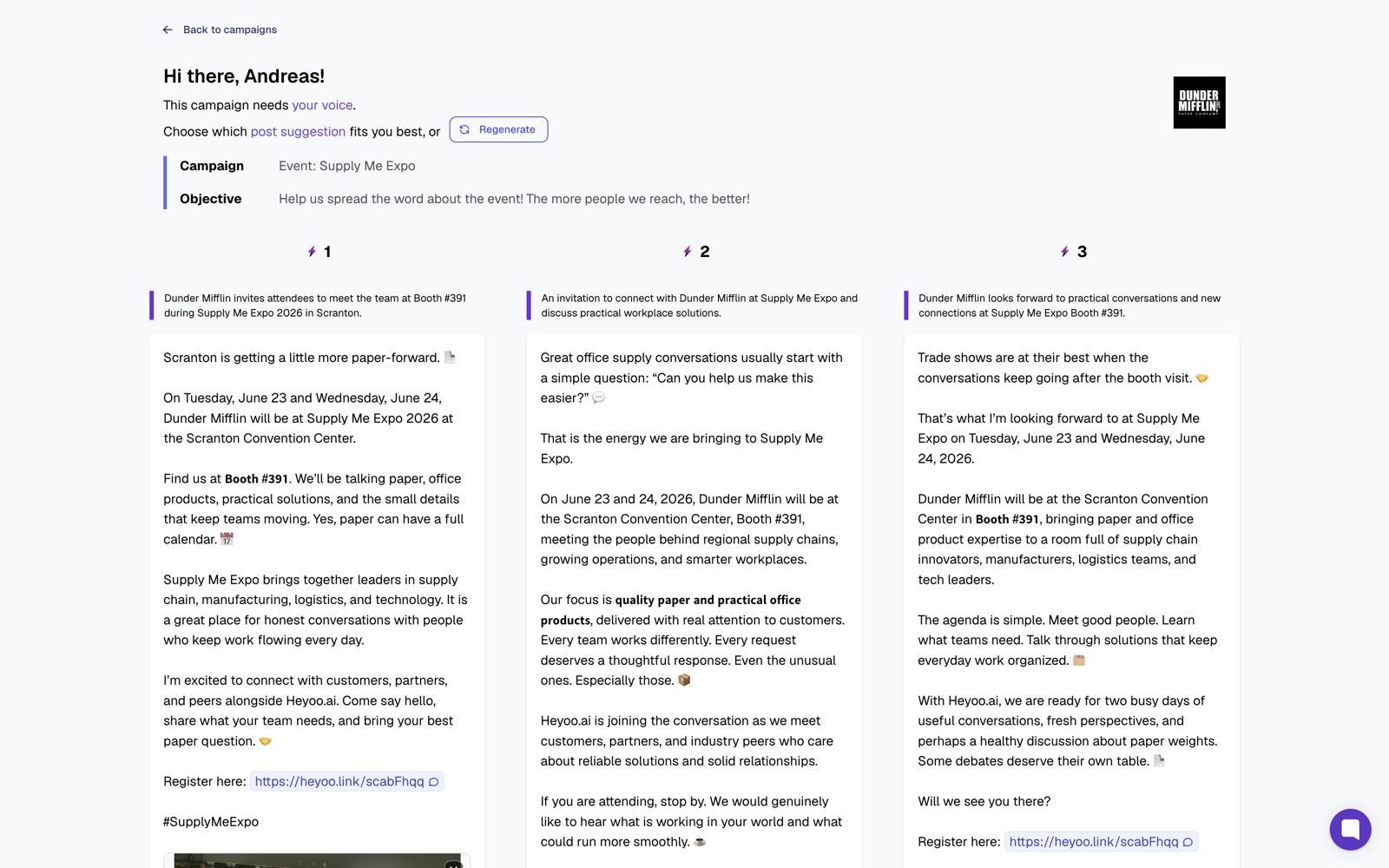
Review your version before sharing
Add a reason the topic matters to you. For example, when sharing an event, mention a question you hope to discuss there. Check that the dates and any tagged person or Company Page are right. If you change the image, check that it still matches the text. If the suggestion still feels generic, use Regenerate or rewrite the opening in the editor.
Find a campaign your team has shared
Open See post suggestions on your dashboard or Post suggestions from the campaign list. Connect your own LinkedIn profile before publishing. If the campaign you expect is missing, check with your campaign owner that it is intended for your group and is within its campaign dates.
Make the suggestion yours
Start with an experience or opinion you can speak to. Check the details against the campaign description and keep the tracked link if the campaign needs it. Use Customize for more control in the editor. Check Post Overview if you scheduled it for later.