
If you have just joined your team’s workspace, you set a starting style during onboarding. You can refine it any time in Posting Profile → Tone of Voice.
1. Choose a starting point
Build from LinkedIn — use your existing LinkedIn posts if they sound like the way you want to write. Connect LinkedIn first.
Quick Style Wizard — answer a short set of questions if you want guidance or have few representative posts.
Build from Archetype — start with a style that feels close to yours, then adjust it.
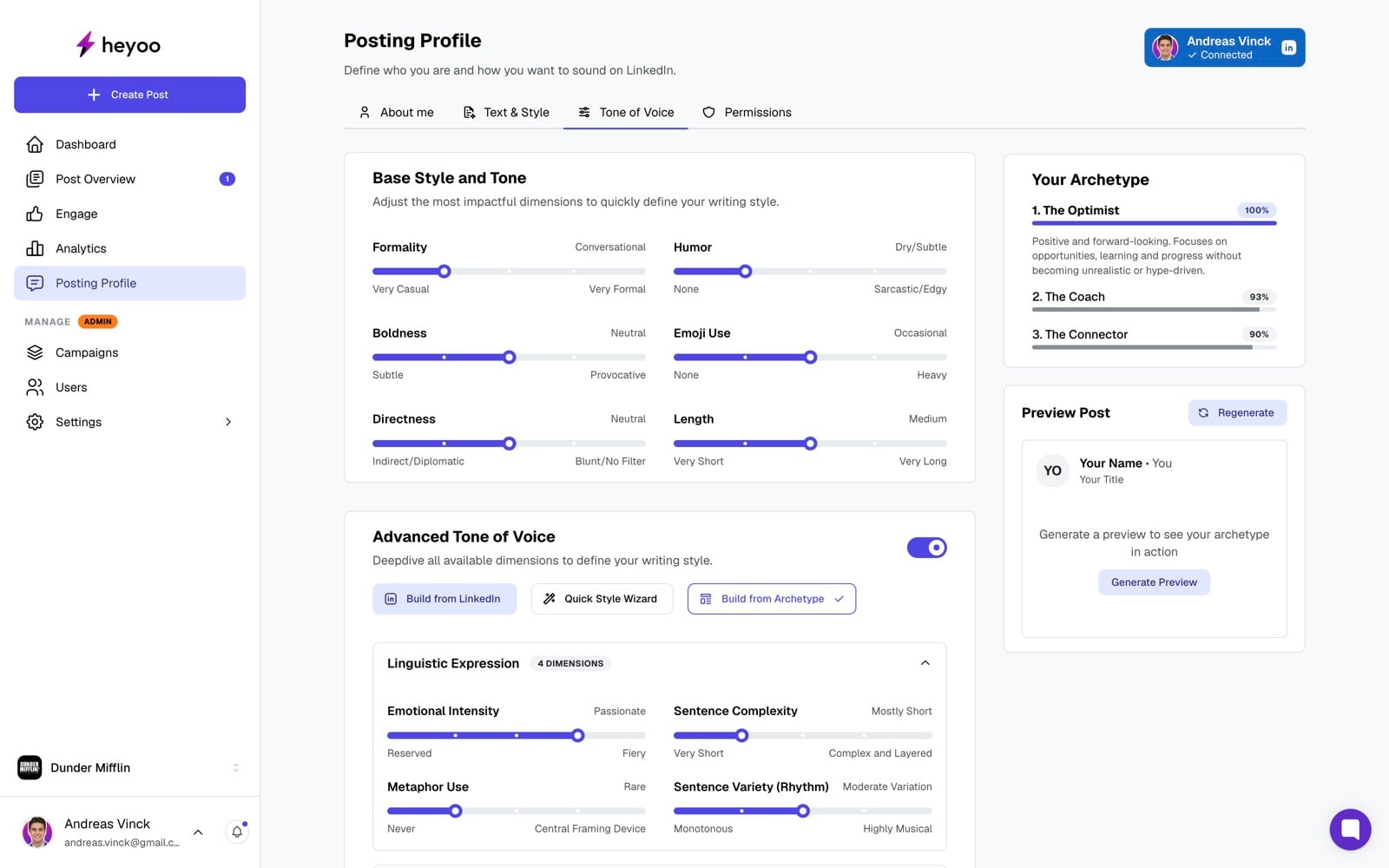
2. Make the style sound like you
Start with the six base controls: formality, humour, boldness, emoji use, directness and length. Change one or two at a time. For example, if drafts feel too formal and long, make them more casual and shorter. Use Custom instructions for something concrete, such as “Open with an observation from my work and use short paragraphs.”
In Text & Style, set your post language and formatting preferences. In About me, describe your work and the topics you care about. Your Tone of Voice guides how a draft sounds. Your Content Foundation supplies topics, expertise and perspectives.
3. Test it on a draft
Select Generate Preview to check the effect of your changes. Then use a real idea in Create Post and compare the draft with something you would say yourself. Refine the settings if the same problem appears across multiple drafts. For a one-off change, edit the draft directly.