
If your team invited you to Heyoo, you can connect your own LinkedIn profile while setting up your account or later from Posting Profile.
Connect during onboarding
Open your Heyoo invitation and check your name and invitation address on the join screen. Choose Continue with LinkedIn to start signing in with LinkedIn. If you choose Continue with email & password, create your Heyoo password first. The next screen is Connect your LinkedIn.
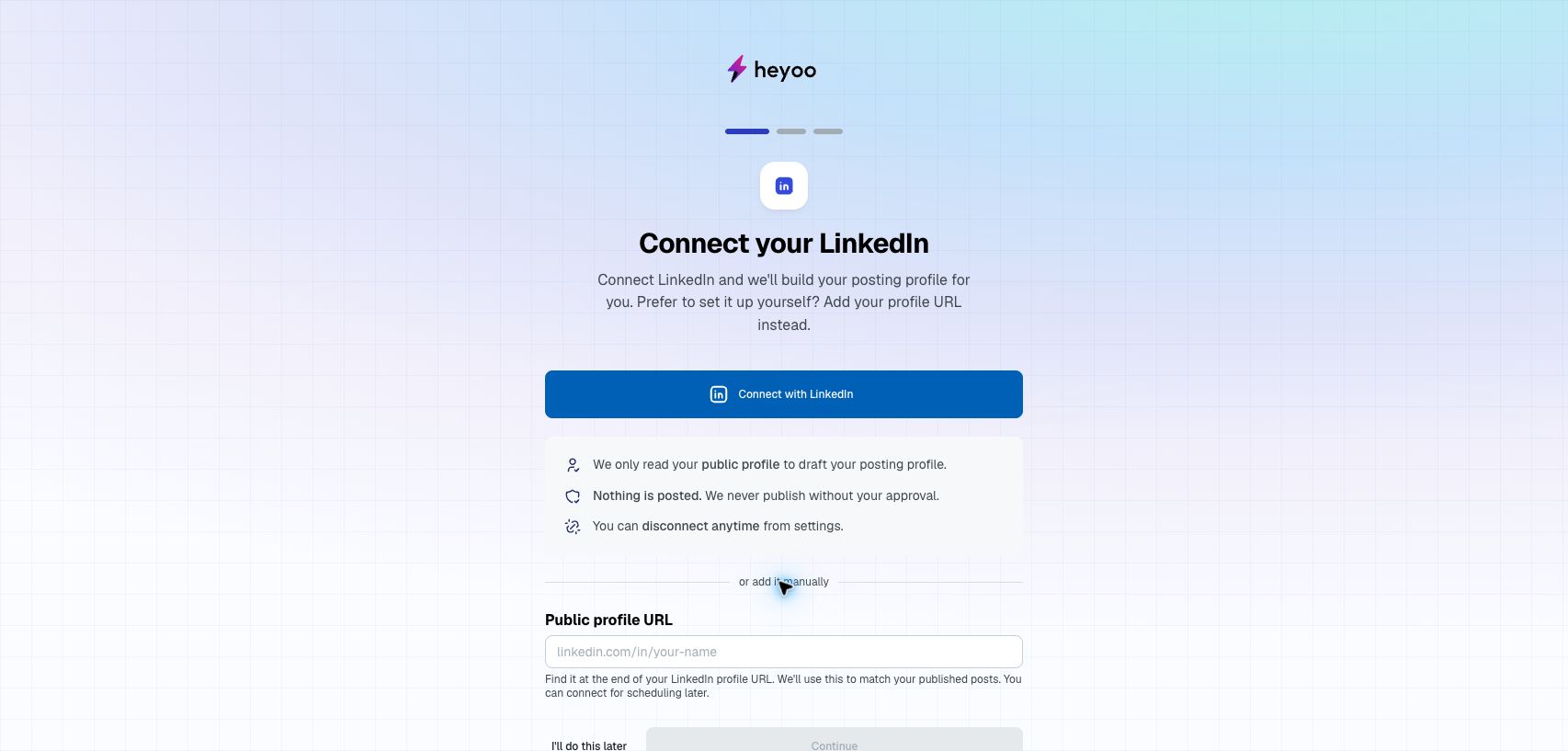
Select Connect with LinkedIn and sign in to the LinkedIn profile you want to use. You can also enter your public profile URL or choose I’ll do this later to continue setting up your Posting Profile and writing style. Entering a URL lets Heyoo identify your public profile. You can connect LinkedIn for scheduling when you’re ready.
Connect later from Posting Profile
Open Posting Profile → About me and select Connect in the top right. You can also start from the Connect LinkedIn prompt on your dashboard.
Sign in to LinkedIn. When Heyoo shows Confirm your LinkedIn connection, verify the name shown and select Connect. Back in Posting Profile, check that the correct name appears with Connected.
What access does Heyoo request?
LinkedIn shows the permissions when you authorise Heyoo. Heyoo uses your LinkedIn identity and profile information to recognise the connected account. It can use available posts as writing examples, read supported post and profile analytics, and publish scheduled posts from your profile when you or someone you have authorised schedules them in Heyoo.
LinkedIn also grants access for supported social actions, including reactions, comments and reposts. In Heyoo, open Posting Profile → Permissions to review which actions your team may take on your behalf and whether to request approval for posts. Heyoo does not receive your LinkedIn password or have access to your private LinkedIn messages.
If you administer LinkedIn Company Pages, the confirmation screen may ask which Pages workspace managers can post to through Heyoo. Select only the Pages you want to make available in that workspace. A personal profile connection does not require choosing a Company Page.
If your profile is already linked to another Heyoo account
If the invitation returns you to the join screen with this message, use Continue with email & password to create your Heyoo account and finish onboarding. Then try connecting from Posting Profile. If the confirmation dialog shows the warning and still offers Connect, verify the account shown, then confirm and check for Connected. If you cannot complete the connection, contact Heyoo support.
To manage or remove Heyoo’s access, open LinkedIn settings and review the services you have permitted. Check any scheduled posts in Heyoo after disconnecting.